Description
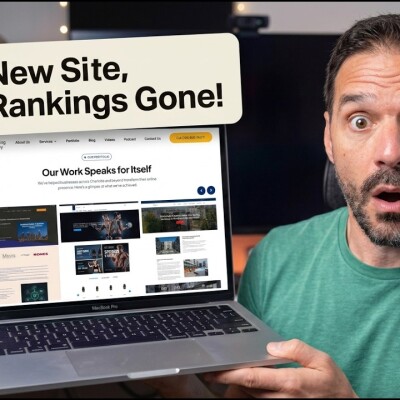
Did your website redesign kill your traffic? 📉 Learn how to fix your lost search rankings and recover your visibility today.
🛠️ WANT IT DONE FOR YOU? (link 3)
A website redesign that keeps your rankings, SEO that grows them, or AI search optimization that gets you recommended. One team, all in-house, nothing outsourced.
👉 https://bit.ly/done-for-you-redesignd
Video code: REDESIGN
Website redesigns often trigger massive drops in traffic because search engines lose track of your pages. If you notice your site has suddenly lost search rankings, it is usually because critical technical elements were changed or removed during the launch. This guide covers the common mistakes, from broken redirects to misconfigured indexing, that prevent Google from finding your content. Focusing on proper website redesign SEO is the only way to avoid these pitfalls.
I walk through the essential website migration checklist you need to ensure your new design keeps your traffic stable. We look at how to verify your SEO visibility settings and why failing to map your old URLs leads to immediate performance issues. Following these steps helps you protect your existing authority while updating your look.
📊 WHERE DO YOU STAND IN AI SEARCH?
Our AI Visibility Score: a 0–100 score, the real AI answers for your services and towns, and who's showing up ahead of you. $100, credited in full toward your first month if you hire us.
👉 https://bit.ly/ai-score-redesignd
📋 FREE: THE WEBSITE REDESIGN CHECKLIST (link 1 — it's right here)
Every check from this video, plus the redesign plan to get in writing before anyone touches your site.
BEFORE THE REDESIGN
☐ Export your top 20 pages + the searches each one shows up for (Search Console › Performance › Export)
☐ List every current page address and where each one will redirect
☐ Get it in writing: who owns your rankings at launch
LAUNCH DAY
☐ WordPress › Settings › Reading: "Discourage search engines" is UNticked
☐ Nothing set to noindex, nothing blocked in robots.txt
☐ Search Console › URL Inspection on your homepage: Google can index it
☐ Tap the website button on your Google Business Profile: it lands on a real page
AFTER LAUNCH
☐ Analytics tracking code survived (compare with Search Console › Performance)
☐ Search Console › Pages › Not found (404): 301 each old address to its matching new page, never all to the homepage
☐ Keep those redirects in place at least a year
☐ Update your own menus and buttons that still point to old addresses
☐ Your top 20 pages still have the words that ranked them, including FAQs and the towns-you-serve paragraph
☐ Page titles weren't reset (not just "Services")
☐ Search Console › Links › Top linked pages: redirect any old address, and ask key sites to update their link
☐ Footer name, address and phone match your Google Business Profile word for word
☐ Rich Results Test on your homepage: local business details still show up
ALREADY DROPPED?
☐ Fix what you find, then request indexing and resubmit your sitemap. An established site can take 60–90 days to settle.
🎬 WATCH NEXT
I Audited 47 Local Business Websites. The Same 5 Mistakes Were on Almost Every One.
👉 https://youtu.be/YVizZiQQuUc
🔧 FREE TOOLS USED IN THIS VIDEO
Google Search Console: https://search.google.com/search-console
Rich Results Test: https://search.google.com/test/rich-results
📚 SOURCES
Google Search Central, How to move a site: https://developers.google.com/search/docs/crawling-indexing/site-move-with-url-changes
WordPress, search engine visibility setting (5.3+): https://make.wordp...
Hosted on Ausha. See ausha.co/privacy-policy for more information.