- Speaker #0
You're listening to Gunnix Digital Podcast, where we share curated insights on digital strategy, artificial intelligence, and the tools that drive performance.
- Speaker #1
Welcome to The Deep Dive, the show where we distill complex topics into actionable insights for you. Today, we're tackling something that's, well, rapidly becoming non-negotiable for modern businesses, meeting evolving customer expectations. Think about it. We all want instant answers, right? Solutions that fit our schedule, not the businesses. And here's where it gets really interesting. A well-crafted website chatbot can be your tireless digital employee working around the clock.
- Speaker #2
Exactly. I mean, imagine a team member who never calls in sick, never sleeps, and can simultaneously handle dozens, maybe even hundreds of customer inquiries. That's not just convenience. It's a massive competitive advantage.
- Speaker #1
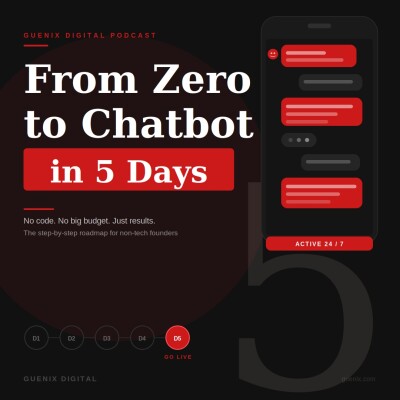
It truly is. So today our deep dive is titled Inside the 5-Day Chatbot Roadmap that Works for Non-Tech Founders. Our mission, to guide you step-by-step through setting up your very first business chatbot in less than a week. And yes, that's true even if you have like zero technical expertise or a massive budget to throw at it.
- Speaker #2
Yeah, the benefits here are transformative. A chatbot can effortlessly answer those repetitive common questions.
- Speaker #1
The ones that tie up your team all day.
- Speaker #2
Precisely. And capture leads you might otherwise miss after hours, provide essential customer support 24-7, and critically, free you up, the business owner. to focus on the strategic growth-oriented tasks that truly move your business forward.
- Speaker #1
I love that framing. It's not about replacing humans, is it? It's about empowering them by handling the mundane stuff.
- Speaker #2
Exactly.
- Speaker #1
We're calling this a roadmap because it really takes what often feels like this huge, overwhelming technical project and breaks it down into incredibly manageable daily tasks.
- Speaker #2
Yeah. Each day builds on the last.
- Speaker #1
Giving you confidence from that initial idea all the way to launch. Yeah. By the end of this journey. you'll have a functioning chatbot delivering real value.
- Speaker #2
It's about making a significant leap, really, in your customer service and lead generation capabilities quickly and efficiently. So ready to jump into day one?
- Speaker #1
Absolutely. Let's roll up our sleeves. Day one isn't about diving straight into the tech, right? It's about the strategy first.
- Speaker #2
Spot on. It's strategic planning and conversation mapping. Sets the stage for everything else.
- Speaker #1
Okay, so first thing on day one, honing in on the chatbot's core mission, defining its primary purpose. Why is narrowing this focus so critical?
- Speaker #2
Well, think of your chatbot like a specialist employee. A lot of chatbot projects actually fall flat because businesses try to make them a do-everything bot.
- Speaker #1
Ah, the jack-of-all-trades bot.
- Speaker #2
Exactly. When you try to solve too many problems at once, you often end up with a master of none. And that just frustrates users who expect focused, efficient help. By giving it one specific job to start, you set it up for immediate, tangible wins.
- Speaker #0
Okay.
- Speaker #2
So you want to pick one primary objective. Is it... Customer service-like, answering FAQs about hours or policies. Right. Is it lead generation, capturing contact info, maybe appointment scheduling, or even guiding customers through product choices?
- Speaker #1
So no aspirations for a conversational AI that writes poetry and processes returns on day one, then?
- Speaker #2
Probably not. Needs to be super specific. Instead of just aiming to improve customer service, you'd aim for something like...
- Speaker #1
Like, answer the 10 most common questions about our return policy and store hours. Something really concrete.
- Speaker #2
Precisely. That specificity makes all the difference, avoids overwhelming your initial efforts. Now, moving into the afternoon of day one, we pivot to customer question analysis.
- Speaker #0
Okay.
- Speaker #2
This isn't just about saving time. It's about identifying your customers' unspoken needs and proactively addressing them, almost before they become a frustration.
- Speaker #1
That's a really interesting angle, turning service into a competitive advantage. So how do you practically identify these patterns? Are we... Just guessing.
- Speaker #2
Not at all. You actually have a goldmine of data already. Just look at your past month's email, social media DMs, phone logs, voicemails.
- Speaker #1
Oh, okay. The existing stuff. Yeah.
- Speaker #2
And definitely ask your frontline team, what questions do they answer over and over again? Then you create a simple analysis table. Just list the question, rate its frequency, say one to five, and its complexity, maybe one to three.
- Speaker #1
So something like, what are your hours? It's probably a five for frequency and a one for complexity, right?
- Speaker #2
Easy win.
- Speaker #1
Exactly.
- Speaker #2
Quick win.
- Speaker #1
But what's an example of something that seems simple but is actually complex for a starting bot?
- Speaker #2
Oh, good question. Maybe something like, I need to return this, but I lost the receipt and it's slightly damaged. Can you help?
- Speaker #1
Oh, yeah. Multiple conditions. Tricky.
- Speaker #2
Very tricky for a new bot. That screams human handoff. You don't want to automate that on day one. The sweet spot. Focus on questions rated four for five for frequency and one two for complexity. That's your low hanging fruit.
- Speaker #1
Got it. High frequency, low complexity.
- Speaker #2
Right. And as we move into the evening of day one, you use these insights to map out conversations. Conversation flows.
- Speaker #1
Okay, so this is like sketching out the conversation. Anticipating the back and forth, like a simple script.
- Speaker #2
That's spot on. Let's take that return policy example. Customer asks, what's your return policy? Chatbot answers, we offer hassle-free returns within 30 days of purchase. Would you like to know about our in-store returns or mail-in returns?
- Speaker #1
Giving options immediately. Smart.
- Speaker #2
Yep. If they pick in-store, the bot explains that. If mail-in, it details that process. And then, crucially, a follow-up. Is there anything else I can help you with?
- Speaker #1
I see how that structure makes the bot feel more helpful, more capable. It anticipates the next step.
- Speaker #2
Exactly. So by the end of day one, you should have your primary purpose defined. A list of 5, 10 high frequency, low complexity questions and detailed flows for maybe five of those.
- Speaker #1
Wow. That's actually a ton of groundwork laden just one day. What are the common pitfalls here? Like how do people mess this up?
- Speaker #2
The biggest one is overthinking it.
- Speaker #1
Yeah.
- Speaker #2
Trying to make it perfect from the get go.
- Speaker #1
Right. Analysis paralysis.
- Speaker #2
Yeah, or mapping every single tiny branch of a conversation. Stick to those main flows for the frequent simple stuff first. Another one, using jargon. Keep the language conversational, helpful, brand aligned. Think friendly team member, not, well, not a robot.
- Speaker #1
Makes sense. Okay, day two, platform selection and setup. We've planned what it does. Now we choose the tools. Morning focus is platform research. What are the key factors here?
- Speaker #2
Well, thankfully, it's way simpler than building a website from scratch used to be.
- Speaker #1
Oh, good.
- Speaker #2
These platforms are mostly designed for ease of use. Key things to look at price. Obviously, most small business options are like 20 to 150 dollars a month. Pretty reasonable ease of use. Do you want drag and drop simple or are you OK with a bit more techie stuff? Integration is super important. Does it play nice with your website, WordPress, Shopify, whatever?
- Speaker #1
Right. Compatibility.
- Speaker #2
And finally, features. Does it actually do the main thing you decided on back in day one? Customer service, lead gen, etc.
- Speaker #1
Good to know. It's not like learning code. Any specific platforms you recommend for beginners to check out?
- Speaker #2
Yeah, a few good starting points. Tideos is great for general purpose. Very easy setup. Chat feels often used for e-commerce. Good Facebook integration. Also pretty easy. ManyChat is strong for lead gen and marketing. Again, easy setup. MobileMonkey does multi-channel web, Facebook, SMS, maybe a bit more moderate setup.
- Speaker #1
Okay, several options there.
- Speaker #2
My advice. Pick two or three. Sign up for the free trial. Watch a quick tutorial. Click around. See what feels right for you.
- Speaker #1
Get your hands dirty before committing. Smart. So afternoon of day two, you've picked your platform, account setup, and website integration time. Yeah. Create your account. Fill out the business profile. Maybe design your chatbot avatar. Use your logo or a friendly icon. Set up welcome messages. Configure basic settings like where the chat widget appears. Brand colors. Maybe a three, five second delay before it pops up.
- Speaker #2
Oh, the delay is a setting. Interesting.
- Speaker #1
Yeah. So it doesn't jump in immediately. And set your business hours. Then website integration. Usually it's surprisingly simple. Often just copying a little snippet of code.
- Speaker #2
Like a tag or something.
- Speaker #1
Exactly. And pasting it into your website's header or footer section in your website builder. The platform will give you specific instructions.
- Speaker #2
Okay. And if it doesn't show up, quick troubleshooting for the non-techie folks.
- Speaker #1
Good question. first clear your browser cache. That fixes a lot of weird display things.
- Speaker #2
Right. The classic fix.
- Speaker #1
Check for ad blockers interfering and just double check the code is on all the pages you want the bot on. Then evening of day two, the fun part, implementing your first conversation flow. Pick a simple one from day one.
- Speaker #2
Like our, what are your hours? Yeah. Example. Perfect. Find the build or conversation section in the platform. Create a new flow, add trigger keywords, hours, open, close, schedule, timing, build the response. Hi there, we're open Monday, Friday, 9 a.m., 7 p.m., etc. And vitally, add those follow-up buttons. Get directions, make appointment, ask another question, give them somewhere to go next.
- Speaker #1
That makes so much sense. Keeps the conversation flowing. Okay, day two, done. Platform selected, account created, but integrated, even in test mode, and OneFlow built. That's huge progress.
- Speaker #2
Absolutely, you're well on your way.
- Speaker #1
Moving into day three, building the chatbot's knowledge base. Morning focus. implementing those core conversation flows, turning the day one maps into real interactions. What's the strategy?
- Speaker #2
Start with the most frequent questions from your day one analysis. Prioritize them.
- Speaker #1
Maybe.
- Speaker #2
Business basics first, hours, location, then product service info, then pricing, policies like returns, then maybe booking or scheduling.
- Speaker #1
Got it. Tackle the big ones first.
- Speaker #2
Right. For each flow, create the trigger questions, add variations, build concise responses, keep it short. One, three sentences is often good. Add buttons or quick replies for follow-ups. And remember, you're designing a mini conversation.
- Speaker #1
Not just an answer, but a conversation.
- Speaker #2
Exactly. Anticipate the user's likely next question. If they ask about returns, they probably also want to know how... in-store versus mail-in. Bake that into the first response with options.
- Speaker #1
Guiding them. Keep the language natural, on brand.
- Speaker #2
Absolutely. Like you're speaking to them. Always include actionable next steps. A good template is greeting plus direct answer plus additional context plus next steps. Like, hi there. Returns are within 30 days with receipt, unused or original packaging. Need info on in-store or mail-in returns.
- Speaker #1
Super clear. Okay. Afternoon, lead generation. If that's The key goal, how do we set that up? Always looking for more leads.
- Speaker #2
Right. If lead capture is your goal, set a trigger maybe when someone asks about services or clicks contact us. Initial response, happy to help you learn more. Mind sharing a few details. Then click the basics. Name, email, phone, what they're interested in. Crucially, add maybe one, two qualification questions. Budget. Timeline. Helps you prioritize.
- Speaker #1
Smart. Qualify them gently.
- Speaker #2
Yep. Then set expectations. Thanks. Someone will contact you within time frame. Meanwhile, check out this related resource.
- Speaker #1
That makes sense. And I heard a tip about breaking up the question, so it's not like a long form.
- Speaker #2
Yes, exactly. Ask for a name in one message, email in the next. Feels much more conversational, higher completion rates usually, than evening of day three. Fallback responses and escalation paths. Super important.
- Speaker #1
Because the bot won't know everything, right? It's going to get stumped sometimes.
- Speaker #2
Precisely. Need thoughtful fallbacks, a general one. Sorry, I didn't quite get that. Could you rephrase or choose a topic with buttons? And the escalation path is key during business hours. Want to connect with support now, after hours. Teams out, but I can have someone contact you. Leave your email.
- Speaker #1
Offering help even when the bot fails.
- Speaker #2
Right. You can also have topic-specific fallbacks. Sounds like you're asking about returns, but I'm not sure exactly what. Here are common return questions.
- Speaker #1
And what about recognizing when a human has to step in? Like the really critical stuff.
- Speaker #2
Absolutely vital. Identify those escalation triggers. Complaints. urgent words, emergency right now, refund requests, complex tech issues, high-value sales inquiries.
- Speaker #1
Things you don't want a bot messing up.
- Speaker #2
Exactly. Program the bot to recognize these and immediately offer human help, or at least collect details for a fast follow-up. So, end of day three. At least five flows implemented, lead capture set up, fallbacks and escalation paths in place. The bot's getting smart.
- Speaker #1
Day four. Testing and refinement. Making sure it all works before the big reveal. Warning, comprehensive testing protocol. How do we do this systematically? Sounds like it could get complicated.
- Speaker #2
Doesn't have to be. First, enable test mode in the platform. Don't want real visitors hitting your tests. Then create a simple testing spreadsheet. Columns for test scenario, expected outcome, actual outcome issues, status.
- Speaker #1
Okay. Tracking everything.
- Speaker #2
Yep. Test each flow multiple ways. Exact phrases, variations, common misspellings, different ways of asking the same thing.
- Speaker #1
And those weird edge cases. People typing random stuff.
- Speaker #2
Crucial. Test one word responses. Multiple questions at once. Going off topic midflow, for example. Test, what time do you close? Expect hours. If it works, pass. Test return without receipt. If it just gives the general policy, fails needs to address the no receipt part.
- Speaker #1
Testing the nuance.
- Speaker #2
Yeah.
- Speaker #1
Because a small miss for us could be a big problem for a user.
- Speaker #2
Exactly. Then afternoon, user testing with other people, team members, friends. Why is that so important?
- Speaker #1
Because we know how it's supposed to work, right? We have biases.
- Speaker #2
Precisely. You need fresh eyes. Recruit three to five testers unfamiliar with the bot. Give them specific tasks. Find out about free shipping. Try to schedule a consultation. Watch how they interact. What phrases do they use? Where do they get stuck? Collect their feedback, confusing bits, frustrations, suggestions. They'll find things you totally missed.
- Speaker #1
Real world interactions. Okay. Evening. Refinement based on testing. You might have a list of issues. How do you prioritize?
- Speaker #2
Use a framework. Critical fixes. Must resolve before launch. Broken flows, missing answers to common questions, wrong info, lead capture failures, deal breakers.
- Speaker #1
Got it. The showstoppers.
- Speaker #2
Important improvements. Address if time allows. More trigger phrases, clearer responses, better fallbacks. Nice-to-haves for launch. Future enhancements. Document for later. New topics. Fancy features. Integrations. Stuff for down the road.
- Speaker #1
So tackle the must-haves, then the nice-to-haves. Save the big ideas. Prevents getting bogged down.
- Speaker #2
Exactly. List issues, categorize, fix criticals, address important ones, document the rest. End of day four. Testing spreadsheet done, user feedback summarized, critical issues fixed, future list started, almost ready for prime time.
- Speaker #1
We made it. Day five. Launch preparation and go live. Morning, final polishing and launch plan. What's on that pre-launch checklist?
- Speaker #2
Okay, final run through. Review all flows again. Check mobile responsiveness. Does it look okay on phones? Verify lead capture works. Test the human handoff one last time. Crucially, make sure your team knows the escalation process, what happens when a chat comes to them, and have a backup plan if something technical goes sideways.
- Speaker #1
Got it. Everyone knows their role. Plan B is ready. What about the launch itself? Big bang or soft rollout?
- Speaker #2
Often a soft launch is a good idea. Make it live, but don't shout about it yet. Gives you a chance to monitor without a flood of users.
- Speaker #1
Okay. Ease into it.
- Speaker #2
You'll also need a clear monitoring schedule. Who checks conversations? How often? Especially early on. Define response time expectations for human follow-ups. Plan how you'll collect ongoing feedback. And decide on your success metrics. What does winning look like?
- Speaker #1
Like how often should we check in the first few days?
- Speaker #2
Maybe hourly for day one, three, then three times a day for the rest of the week, then daily in week two, maybe weekly after that. Adjust based on volume.
- Speaker #1
Right. Okay. Afternoon. Analytics and success metrics. How do we actually know if it's working?
- Speaker #2
Key performance indicators, KPIs. Got to track them. Conversation completion rate. How many chats finished successfully? Aim for maybe 70, 85 percent. Response time. For the bot itself should be under a second. Customer satisfaction. If your platform has readings, Aim for four plus out of five. Lead gen metrics. How many contacts collected? Set a target based on your traffic. Human escalation rate. How often does it need help? Initially, aim for under 30%, hopefully decreasing over time. And track common queries. What are people actually asking? Great for optimization.
- Speaker #1
So setting up the dashboard, watching the numbers, not just launch and hope, data-driven improvement.
- Speaker #2
Precisely. Configure the platform's analytics. If you can, integrate with Google Analytics for a bigger picture. Maybe keep a simple spreadsheet for weekly tracking. Schedule regular reviews. Finally, evening. Go live and immediate monitoring.
- Speaker #1
The moment of truth. Final sequence.
- Speaker #2
Okay, maybe have someone outside the biz do one last quick test. Disable test mode. Verify the widget shows up live. Send yourself a test message. Announce internally it's live. First day. Check new chats hourly. Look for patterns, problems. Make quick fixes. Document unexpected questions for later. Be ready for fast human backup if needed. It's all about rapid response initially.
- Speaker #1
Makes sense. And beyond day one, what's the immediate plan?
- Speaker #2
Have a first week improvement plan. Like day one, fix critical issues. Day two, add more trigger phrases. Day three, tweak the lead capture flow. Day four, improve fallbacks. Day five, review analytics, make data-driven adjustments. End of day five, checklist done, monitoring plan set, analytics dashboard live, bot is active, first week plan ready. You did it.
- Speaker #1
But it doesn't stop there, does it? Yeah. Beyond day five. ongoing optimization.
- Speaker #2
Exactly. Launch is just the beginning. To really get the most value, ongoing optimization is key. Even just 30 minutes a week makes a huge difference.
- Speaker #1
So what does that weekly optimization look like?
- Speaker #2
It's a feedback loop. Review the chat logs. What questions weren't answered? Where did people get confused or give up? Use that info to update the knowledge base. Add new trigger phrases. Add answers to unanswered questions. Clarify confusing responses. And keep an eye on those key metrics. Completion rate going up. Leads increasing. Escalations decreasing.
- Speaker #1
Smart. Continuous improvement. What about bigger things? Monthly expansion, maybe?
- Speaker #2
Yeah, maybe set aside a couple of hours a month. Add new conversation topics based on customer requests, new products, seasonal stuff. Improve lead qualification. Refine the questions. Maybe add scoring. Optimize the sales handoff. And maybe look at new features your platform offers. Appointment scheduling. Product recommendations. Integrating with your CRM.
- Speaker #1
Wow, what a journey. So congratulations to you listening. In just five days, you've potentially transformed your customer service by getting a chatbot working 24-7, answering questions, capturing leads, providing that immediate help. It's a real game changer.
- Speaker #2
And remember, this implementation is truly just the start. The best chatbots evolve. Following this ongoing optimization path makes it an increasingly valuable asset.
- Speaker #1
Yeah, and remember, your chatbot doesn't need to be perfect on day one. It's a learning process. For you and the tech, every conversation is data. It tells you what customers need. how you can serve them better, embrace that.
- Speaker #2
Absolutely. So your chatbot journey starts now. Take that first step today. Define the purpose. Map those initial conversations. Imagine having that powerful new tool working for your business around the clock in just five days.
- Speaker #0
Thanks for listening to GenX Digital Podcast. Follow us for more curated insights.